
Not only was a piece of computer gaming history fading into obscurity, like the countless silent movies lost forever when their film disintegrated, but a cherished part of my childhood was becoming no more than a memory and a cultural anecdote. I decided to try to do something.
When I was about 7, one of my favorite things to do was watch my dad play Realmz. Compared to the computer games I was playing at the time, such as SimCity and Lemmings, Realmz stood apart as a portal into an expansive world of adventure. Like many games of the era, it was released as shareware, with a restricted, free-to-play base game that could be unlocked and additional content purchased by mailing in registration fees. But unlike others, Fantasoft offered companion scenario and character editors, which allowed users to create their own content. Watching my dad roam around fantastical worlds with a band of powerful adventurers wielding magical weapons, and imagining the awesome items and stories I could create myself, was a key inspiration to me to become a programmer.
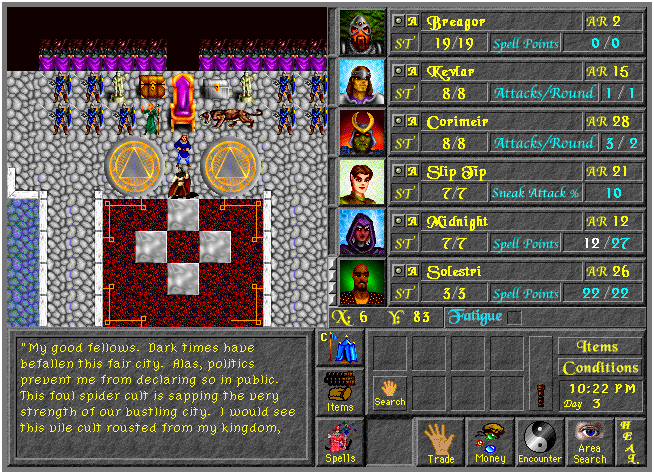
Recently, a wave of nostalgia hit me, and I went digging into what it might take to fire up Realmz again. Visiting the disappearing or aging websites that were keeping the game alive confirmed my fears: Realmz was getting more and more difficult to play. The game had long since become abandonware, no one seemed to have heard from the creator Tim Phillips nor the apparent custodian Skip Meier in years, and aside from a buggy 1999 Windows port and a now-obsolete Carbon-ization project from the 2010s, very little had been done to keep the game playable. It seemed that the only options were to try to get the Windows executable working and play through the bugs, set up one of the notoriously tricky Macintosh emulators like Sheepsaver or Basilisk, or simply dust off any old Macintosh that one might happen to have lying around in storage.
I found this incredibly sad. Not only was a piece of computer gaming history fading into obscurity, like the countless silent movies lost forever when their film disintegrated, but a cherished part of my childhood was becoming no more than a memory and a cultural anecdote. I decided to try to do something.
The ultimate way to ensure a piece of software can survive is to open source its code. Although I had no idea how to begin, I made my primary goal to open source Realmz so that, even if I were to fail to keep it updated for modern systems, other enthusiasts might be able to continue the work and eventually succeed. The major obstacle to this goal was that no one seemed to know who currently holds the rights to Realmz, and the two most likely people, Tim and Skip, seemed to have vanished from the internet.
After weeks of research, cold reachouts, consultations with an open source lawyer, and wild geese, I managed to contact Tim. He graciously agreed to release the Realmz source code under a CC NonCommercial license, and I obtained a copy of the codebase from the programmer who worked on the Carbon port years ago. The hardest, most uncertain part of the project was complete!
Now that I had access to the codebase and permission from the original author, I got to work. My plan was to first simply get the code to compile, even if it crashed immediately upon startup. From an interview with one of the original members of Fantasoft, I knew to expect C code written under the c89 standard, so I hoped that it would be mostly compilable, as long as I could stub out the missing Macintosh System 7 system calls. From there, I figured I could re-implement the system calls that were still necessary for the game to run. Others, such as those that took care to lock and unlock moveable and purgeable memory handles, could be left unimplemented and would be elided by the compiler.
This process turned out to be relatively straightforward, if labor-intensive. I would attempt to compile, then look for the missing function symbol in the resulting error. I would then reference an archived copy of Inside Macintosh to find out the signature of the missing function1. Finally, I would write a declaration and an empty definition of the missing function, recompile, and repeat. Aside from a few minor snags2, the process went well, and I soon had a compiled executable which crashed as soon as it launched!
One of the earliest sources of crashes was, predictably, the NULL pointers returned by my stubbed versions of
functions like GetNewWindow. GetNewWindow, like many of the missing system calls, loads a game asset, in this case
a WIND resource representing an application window definition, then draws it to the screen. “Resources” are what early
Macintosh called application data such as images, text that could be localized, sound files, or any other data that the
application might use. Historically they were stored in resource forks, an archival format that was hidden within each
file, but in the repository that I gained access to, the resource forks had already been extracted into separate files,
making them a little easier to deal with.
My plan for rendering windows and graphics, playing sounds, and receiving inputs was to simply write an adapter layer to SDL3 calls, essentially implementing replacement Window Manager, QuickDraw, etc. functionality while leaving the existing API and the callsites in Realmz intact. The harder part would be to write the code to parse and extract the individual resources from the resource fork files. Each resource type has its own storage format, and while there didn’t seem to be anything too difficult involved in unpacking each field, I wasn’t looking forward to the slog of implementing each extractor (and decoder of compressed formats, in the case of certain resources). I started looking around for any existing tools or libraries that I could use.
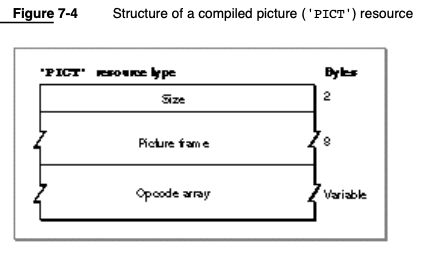
My search led me to the excellent resource_dasm tool and library, authored by fuzziqersoftware. Not only had Martin implemented a tool that unpacks and converts each resource type to a modern equivalent, but the library is written in C++ and I had high hopes that I could integrate it directly into my project to handle all resource file manipulations. I quickly got bare-bones implementations of Window Manager and Resource Manager working, calling into resource_dasm to load the image data, and calling into SDL3 for window creation and rendering, and was greeted by a friendly image from my past:
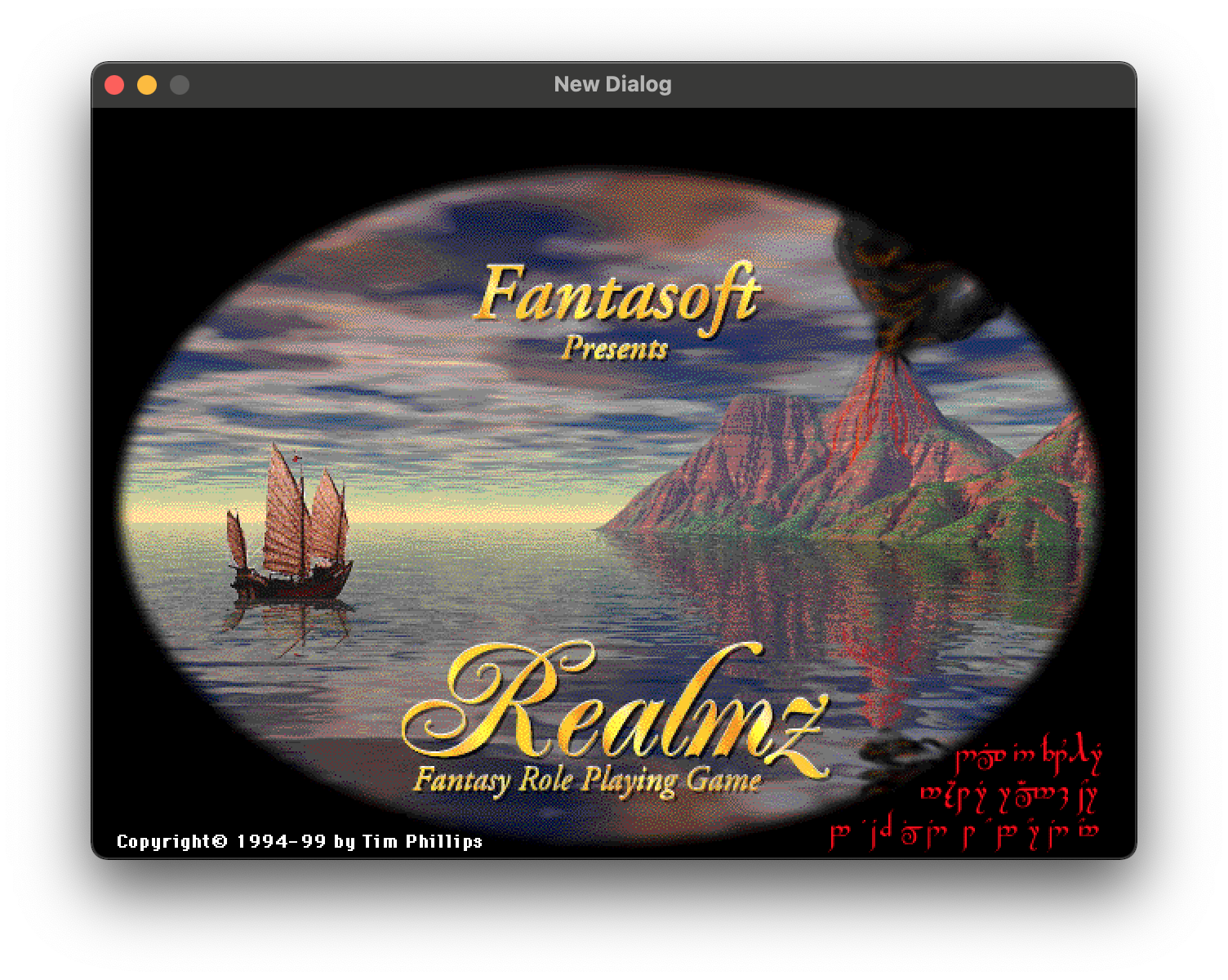
Encouraged by reaching this huge milestone so quickly, I decided to reach out to Martin to see if he was interested in joining the project. His depth of expertise would mean that together we’d be able to get the game running smoothly much sooner than I could by continuing on my own, stumbling forward without much experience on this ancient system. Thankfully, he quickly agreed, and we set ourselves to the task of implementing the rest of the missing Classic Mac functionality. It took us a while to work through all of the crashes and unimplemented behavior, since we could only spare an hour of our free time here or there, but we were able to overcome some interesting problems3 and achieved a smooth, crash-free experience that allows one to play through entire scenarios successfully.
And so, today, I’m thrilled to announce the first public (beta) release of the Realmz Classic project! I’ll be forever grateful to Tim Phillips for entrusting me with this work and his desire to see the Realmz community continue to thrive; to Sean Sayrs for responding to me and helping me contact Tim; to Aaron Williamson for his advice on options for open sourcing Realmz; to Dave Riley for preserving the Realmz codebase for all these years and for sharing it with me; and to my project partner Martin Michelsen, for laying the excellent groundwork and for agreeing to lend his exceptional talent to the project.
You can visit the releases page and download an installer for either MacOS or Windows, or a zip archive for custom Windows installations. Give it a try, and prepare to be whisked away on a strange and fantastical classic RPG adventure!
-
Although the function signatures in Inside Macintosh are primarily presented in Pascal, luckily, equivalent C signatures for each function are usually included towards the ends of each section. When I couldn’t find the equivalent C declaration, I had to try to convert the Pascal types to C equivalents using my best judgement. ↩
-
One peculiarity of the early Macintosh systems was their use of Pascal-style strings. Instead of c-style strings, with a null terminator character to signify the end of the string, “p-strings” encode the length of the string in the first byte. Several sections of the Realmz code manipulated some static string literals expecting them to be p-strings (denoted with a
\pspecial character as the first byte), so this required passing the-fpascal-stringsoption to Clang. Another snag was the liberal use oflongandshort, which appear to have been defined by Realmz’ original target ABIs to be 32 and 16 bits wide, respectively, but which now are larger. This caused some bad accesses which had to be corrected by using fixed-width integer types. ↩ -
One of my goals for the project was to create as seamless of an experience for enthusiasts looking to import their old character and scenario data. This meant being able to successfully load and write the data files that were included with the base game and were thankfully intact in the repo I received. Realmz doesn’t have a data serialization layer – the raw bytes of the data file are simply read into (or written from) the associated
struct. This led to some crashes and some broken behavior, revealing an interesting quirk about the original runtime environment of Realmz. The architectures that Classic Macintoshes ran on, the Motorolla 68k and PowerPC, were both big-endian architectures. Normally, this wouldn’t be much of an issue, as compilers building the code for little-endian systems would consistently use little-endian order for all in-memory data. It was only when reading this data, stored in the original files in big-endian order, and interpreted by the target little-endian architecture, that the problem would reveal itself. Luckily, I found some existingstruct-aware byte swapping code in the repo that probably dated from the era of Windows port, and was able to repurpose it fairly easily. A variation of thelong/int32_tproblem described above2 also had to be dealt with. Thankfully, other more complicated data problems resulting from any strange padding or alignment behavior from these old systems never materialized. ↩